




WooCommerce Setup Guide for Small Businesses: From Products to Payments
Prepared 2026-11-14
A WooCommerce store should be planned as an operating part of your business, not simply installed and filled with products. Start by defining your products, customer journey, payment approach, fulfillment process, and launch checks; then configure the store around those decisions. This guide gives small-business owners a practical sequence for moving from product planning to a tested checkout.
Start with the business model, not the settings screen
Before anyone configures a store, write down the commercial decisions the site must support. What is being sold? Is the offer a physical item, a service, a digital deliverable, or a combination? Who is the likely buyer, and what information do they need before placing an order? These answers shape product pages, navigation, checkout requirements, customer messages, and internal workflows.
Define the path from visitor to fulfilled order
Map the customer journey in plain language: a visitor discovers a product, evaluates it, places an order, receives confirmation, and gets the order fulfilled or scheduled. Then map the internal journey: someone receives the order, confirms the next action, handles exceptions, responds to questions, and updates the customer when appropriate. A store is easier to manage when the website and the operating process agree.
| Area | Questions to answer | Why it matters |
|---|---|---|
| Offer | What products, services, or deliverables will be sold? | The answer determines what information each product page needs. |
| Customer | Who is the buyer and what might stop them from ordering? | This informs page copy, navigation, and support information. |
| Fulfillment | What happens after a customer completes an order? | The process affects customer expectations and internal ownership. |
| Ownership | Who updates products and handles order-related work? | Clear responsibility reduces neglected tasks after launch. |
- Keep the initial catalog focused enough that your team can maintain it accurately.
- Identify any product options, custom requests, or approval steps before designing the buying path.
- Decide what should happen when an item is unavailable or an order requires follow-up.
- Choose one person or role to own each recurring store task.
Prepare products and store navigation for real customers
Products should be ready before they are entered into the store. Create a simple product-information worksheet for every item so the same essentials are gathered consistently. At a minimum, consider the product name, customer-facing description, price, images, available options, availability status, and fulfillment notes. If a product has limits or conditions, describe them clearly instead of leaving customers to discover them after checkout.
Write for the decision, not the catalog
A product title should help customers recognize what they are viewing. The description should answer practical questions a buyer may have, while images should represent the item clearly. Avoid using vague labels that make comparison difficult. If customers must choose among variations or provide information for the order, make those choices understandable and test them as part of the checkout journey.
| Element | What to prepare | Customer purpose |
|---|---|---|
| Name | A specific, recognizable product name | Helps shoppers identify the offer. |
| Description | Accurate details, limitations, and relevant options | Helps shoppers evaluate the purchase. |
| Price | The customer-facing price and any necessary context | Avoids uncertainty at the buying decision. |
| Images | Clear images that represent the item | Supports product evaluation. |
| Availability | A process for maintaining availability information | Sets realistic expectations before ordering. |
Categories should reflect the way customers think about the catalog, not just the way the business files products internally. Use labels that are easy to understand at a glance. A smaller number of well-defined categories is often easier to browse and maintain than a complicated structure with overlapping labels. Review the menu as a first-time visitor would: can someone find a likely product without knowing your internal terminology?
Design the cart and checkout around clarity
The cart and checkout are where uncertainty becomes abandonment or support work. Keep the path focused on the information required to complete the order and the details customers need to understand what happens next. Customers should be able to review their selection, see the order total presented by the store, understand any relevant delivery or fulfillment expectations, and know how to get help if they cannot complete the process.
Set expectations before the customer pays
Place business policies where customers can locate them before and during the purchase process. The exact policies your business needs depend on what you sell and how you fulfill it, so review them with appropriate business, legal, and payment-provider guidance rather than copying another store’s wording. The goal is straightforward communication about the transaction and what follows it.
- Use plain labels for cart, checkout, shipping or fulfillment information, and customer support.
- Review product options to make sure a selected variation is obvious before the customer proceeds.
- Make order confirmation communication match the actions your team can actually take.
- Avoid promising timelines, availability, or outcomes your business cannot reliably support.
Choose a payment approach carefully
Payment configuration affects both the customer experience and internal operations. Start by listing the payment methods your customers are likely to expect and the requirements your business can support. Then consult the current documentation from each provider you are considering. Provider eligibility, account requirements, transaction handling, fees, supported regions, and configuration steps can change, so they should not be assumed from an old setup guide.
Do not treat payment setup as a one-time technical task. Establish a process for reviewing incoming payments, reconciling orders with your business records, handling failed or incomplete transactions, issuing refunds when appropriate, and responding to customer questions. If your accounting or customer-management workflow needs to connect with the store, document the intended handoff before adding integrations.
Questions to ask before enabling a payment method
- Does the provider currently support this business type, location, and sales process?
- Who will complete account verification and monitor provider notices?
- How will the team identify a paid order and begin fulfillment?
- What is the internal process for customer payment questions, cancellations, and refunds?
- Which systems need order or payment information, and who will verify the handoff?
Test the full purchase journey before launch
A launch review should follow the same path a customer and your team will follow. Do not limit testing to whether a product page loads. Check whether a visitor can find an item, understand the offer, add it to the cart, review the order, complete the checkout process, receive the expected communications, and trigger the correct internal handling. Use a controlled test process that fits your payment provider and business procedures.
- Open the store as a first-time visitor and try to find a product through navigation and search, if search is offered.
- Review product details, options, pricing presentation, and availability information for clarity.
- Add an item to the cart and confirm that the chosen product and options are represented correctly.
- Proceed through checkout using the payment provider’s approved testing approach or a controlled live-process review.
- Check the customer-facing confirmation and the internal notification or order record.
- Follow the internal fulfillment or scheduling steps and identify any missing information or unclear ownership.
- Correct issues, then repeat the journey on the devices your customers are likely to use.
A useful launch test includes exception scenarios, not only the ideal path. For example, consider how your team will respond if a customer submits incomplete order information, requests a change, asks about an order, or needs a refund. The point is not to automate every situation immediately. It is to make sure a real person knows what to do when the normal flow changes.
Create a manageable post-launch routine
After launch, store quality depends on regular ownership. Product information becomes outdated, availability changes, customer questions reveal confusing content, and internal processes evolve. A lightweight recurring review helps keep the storefront aligned with the business instead of treating it as a static brochure.
| Routine area | Review prompt | Responsible role |
|---|---|---|
| Product information | Are product details, images, prices, and availability still accurate? | Store content owner |
| Orders | Can the team see and act on new orders consistently? | Order operations owner |
| Customer questions | Are recurring questions revealing missing or unclear information? | Customer-service owner |
| Store changes | Have business or workflow changes affected the buying path? | Business owner or site owner |
When a store needs more than a standard setup, document the business problem before seeking a technical solution. Examples include custom product workflows, order handoffs, customer portals, marketing follow-up, accounting connections, or custom CRM processes. A clear description of the desired workflow helps distinguish a necessary integration from a feature that adds maintenance without solving a real problem.
Move from a setup checklist to a reliable sales channel
The strongest WooCommerce launch is one your team can explain and operate. Start with a clear offer, prepare complete product information, build an understandable buying path, select payment processes with current provider guidance, and test both the customer and internal experience. Then keep ownership visible after launch so the store remains accurate as the business changes.
If you need help turning your sales process into a practical WordPress and WooCommerce storefront, DLR Vortex Solutions can help you plan the work around your products, workflows, and growth goals. Schedule a consultation today!
Frequently asked questions
What should a small business decide before setting up a WooCommerce store?
Define what you will sell, who will buy it, how orders will be fulfilled, which payment approach you plan to use, what customer information is needed, and who will manage store tasks after launch. These decisions provide the structure for product pages, checkout, and internal operations.
What information should be prepared for WooCommerce products?
Prepare a clear product name, accurate description, price, representative images, any customer choices or options, availability information, and fulfillment notes. Review this information for clarity before publishing it.
How should a business choose WooCommerce payment methods?
Start with customer expectations and the payment processes your team can support. Review current documentation from each potential provider for its business requirements, account process, transaction handling, fees, and configuration guidance before enabling it.
What should be tested before a WooCommerce store launches?
Test the journey from finding a product through cart, checkout, order confirmation, and internal order handling. Also review how the business will handle questions, changes, incomplete information, and refunds or cancellations when applicable.
Who should manage a WooCommerce store after launch?
Assign clear ownership for product updates, order handling, customer questions, payment-related processes, and ongoing site changes. The owner may be one person or several roles, but each recurring task should have a named responsibility.
When does a WooCommerce store need custom development or integrations?
Consider custom work when a documented business workflow cannot be handled clearly by the planned store process, such as a required handoff to another business system or a specialized customer experience. Define the business problem and the desired outcome before selecting a technical solution.
Related reading
Schedule a consultation today!
Recent Posts


November 20, 2026
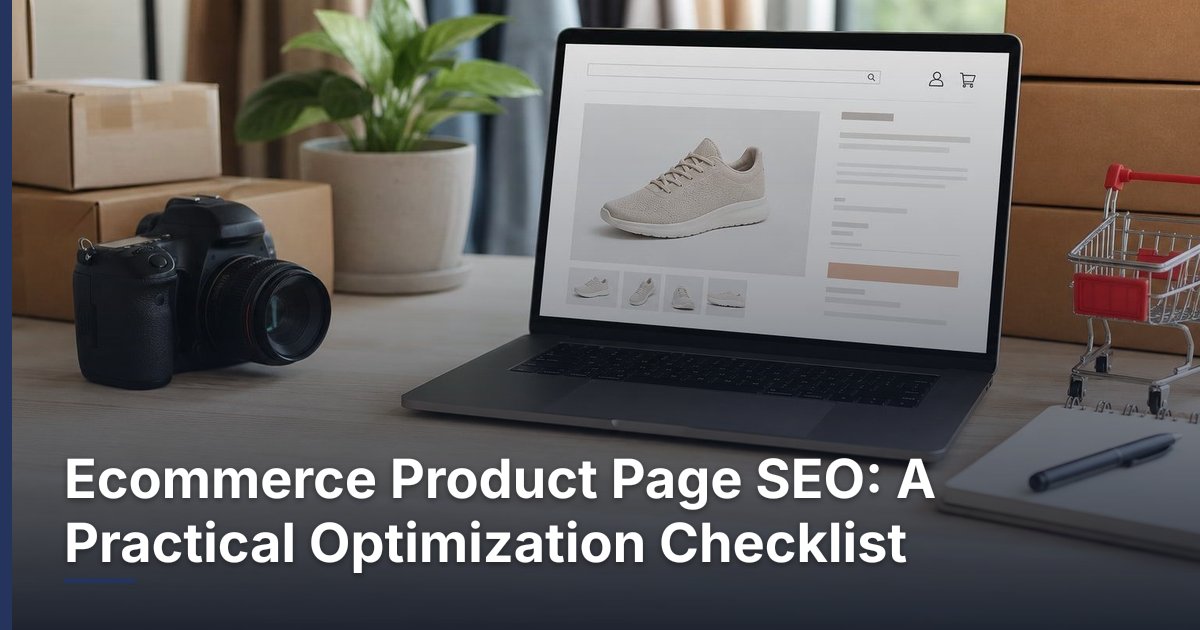
Ecommerce Product Page SEO: A Practical Optimization Checklist

November 19, 2026
How to Reduce Cart Abandonment on a WooCommerce Store
Related Articles
Technical SEO Audit Guide: How to Find and Prioritize Website Problems
Warning: Undefined variable $taxonomy in /home/u765721910/websites/azJno66uV/public_html/wp-content/themes/bw-digiflow/bzotech-templates/posts/grid/grid-style2.php on line 50


Leave a comment